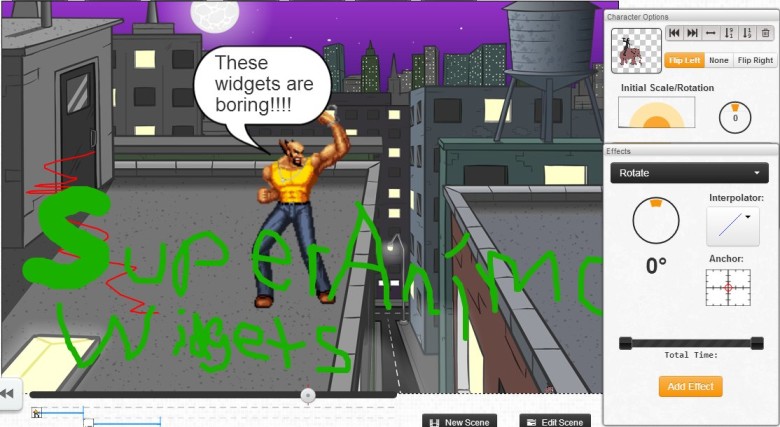
I’m still working on my animation platform startup, SuperAnimo, because I think it’s going to be awesome… but lately I’ve had an urge to study Japanese while doing work.

I listen to Japanese music while working but I don’t learn anything by hearing the lyrics (if I look up the lyrics it wastes time, and I forget what they mean anyway).  I also watch Japanese TV shows in my freetime, but watching shows with subtitles does not help you learn AT ALL.  So I was thinking… is there a way to change that???

My idea is called LangShuffle… it will be a browser extension to help you learn a language passively.  Like the Productivity owl, you would have something that follows you on every webpage you load.  Except instead of an owl, it will be subtitles for the music you are listening to.  So you basically have an HTML5 Music Player in the extension, and you add your Japanese songs, and then it pulls a subtitle file from my server,  and then while you work you can see the lyrics in English/Katakana/kanji.  Eventually it will recognize words in the subtitles you are studying, or even recognize conjugation forms of verbs, and then you will be able to casually glance at those things and refresh what you’re learning in your mind.

Of course I estimated that I could build this thing in two days… because I’m pretty optimistic with my estimates.  I worked on it one day, and realized it’s a pretty big project given how I want there to be an interface to create subtitle files, a full music player with playlists, and so on… so I’m not sure when I’ll have time to work on this.

But I really want this app for myself.  Actually everything that I work on I really want for myself.

Contract work on the other hand – it’s almost like prostitution.  Maybe not full-blown prostitution, but more like giving handjobs.  I could write a whole post about that analogy, but basically I never want to be forced to implement someone else’s “software fantasy.”  It’s unethical.  I think programming is important, and you don’t do important stuff like that with strangers.  And they shouldn’t force you!   I feel dirty even thinking of contract work.

Anyway, hopefully I’ll have a release for this extension soon, and I’ll release it for free like the Productivity Owl.


I’m trying to get seed capital for my startup.

I have a demo and I can code, but by all other indications…  I doubt anyone would hire me, let alone fund my crazy web venture.

My Github is weak.  No Facebook.  No Twitter.  Work a part-time non-coding job.  Hasn’t done contract work for 2 years.   Has no connections.   No former employers worth talking to.

All I have is my Productivity Owl – and some half-finished games that I recently abandoned once I decided to focus on my startup.

Not much I can do about the past.  But let me assure you – I am coding THE FUTURE.™

I’ll post a few widgets to my Github, and start thinking about other things I could open source.  A year ago a person would have been an idiot to invest in me – now it’d be stupid not to.  I’ve improved by at least one order of magnitude, and now I’m extremely confident I can ship products.  Whether I get funded or not – I’m still on target for a June 2013 release.


The reason I haven’t released a game yet is pretty simple… lately I enjoy working on my startup too much (been working a couple days per week on it since Sept).

So instead of a game I’ve decided to build an all-powerful, viral demonstration of my platform’s capabilities by next month.

Why next month?  Well if it’s as good as I think it will be, it could impress the YCombinator crowd.  And the deadline for applying to YCombinator is March 29 – so I better get to work.

I haven’t released anything – but I am making progress and building out my ideas.  I enjoy what I’ve been working on… developing games/apps in javascript with CAAT is fun.

By the end of this month I should have something to publish to the Android Market.  Here’s a preview…


upcoming game


It’s been a few months since I stopped working on my (never-released) tools for internet marketing.

I’ve been doing decent work but I still don’t have a game release.  My logic game BrainHeist (a “Guess the Code” game) is very near completion it just needs some finishing artwork.  I keep procrastinating because I’m not good at artwork, and there are already similar games on Google Play.   It’s hard to get excited about making a game when “it’s already been done before.”

My second game involves Box2D physics, so it’s cooler to work on than “Guess the Code”.  I recently got Box2D MouseJoints to work.  I also put them in a utility I call Game Objects Polygon Definition Creator Thingy

Box2D CAAT Polygon Definer

The utility allows you to load a local image, and define a polygon over the image.  Then you can test the polygon/image in the scene by clicking anywhere.  If you click and drag on an existing object, you will see the Box2D MouseJoint in action.  Here’s the demo. (code on Github)

I want to release a couple games before Jan 1.  That’s when Ludei starts charging money for their “compile HTML5 Canvas games to native” service.  It’s unlikely I’ll be able to afford the service since I can’t even afford the $100 Apple Developer license (so now I’m just doing Android).  So soon I hope to  release something.


So there’s a new javascript animation library called CAAT.  It’s amazing.  The guy who made CAAT is CTO of a company that’s making a service to publish accelerated HTML5 Canvas-based games to iOS and Android devices.   Before I heard of this service I never really considered mobile game development.

First off – I don’t have a Mac.  I don’t know Objective-C.  I know Java, but who wants to only release on Android?  If I was going to do mobile dev, I’d most likely use PhoneGap since it’s cross-platform.  The problem with  PhoneGap is that games are slow and unresponsive.  It’s getting better, but games needing physics would be unplayable in PhoneGap.

CocoonJS seems to solve all that.  It makes HTML5 canvas games run almost as fast as native (because Canvas rendering is converted to native rendering).

So now I’m making games.

I need to have more product releases.   I went to Techweek Chicago, and wore a shirt that said RIDE THE OWL.

I was just promoting my free Productivity Extension.  Not much, but at least I had something that I released recently.   Unfortunately I couldn’t make it to the startup competition or get a conference pass this year.  Next year I plan to be IN the startup competition.

I’m currently working on:

  • BAMContent – An article writing outsourcing service (using MTurk API)
  • BAMContent Scraper – Free scraper that can be scheduled regularly (it’s a Chrome Extension) … when scraped content isn’t enough, the person could buy articles through the main BAMContent service.
  • SnipCSS - It’s a tool I use to rip portions of other web designs.  I want to use Doctrine ORM with CodeIgniter, and basically inject Model data into those ripped web-designs.  The interface for injecting code will be Backbone.js.
  • A silly PhoneGap game… an html5 animation platform… and a subtitle engine for my language learning platform.  All these projects I’ve spent a day on here or there.

Techweek was supposed to be the deadline for SnipCSS and BAMContent, but that deadline has passed.  My new deadline is July 15, 2012.  Don’t let me down Productivity Owl.

Yesterday I released the “Productivity Owl” on the Chrome Web Store.  It’s a browser extension I made to be productive.

After 6 years of NOT being productive while working from home, I know exactly what I need to become productive.  I need a system where I can look up code resources on the internet and not get distracted.  I need a system that stops me from saying “Oh, this blog didn’t solve my current coding problem, but it does have an interesting widget that might work in another project.  Let me investigate that.”  Then 3 hours later I somehow end up on Youtube, watching Roger Federer tennis highlights.  Or reading politics news.  Or studying Japanese.  The point is I keep clicking links that are less and less work-related… and eventually my entire day is wasted.

Other Productivity Extensions do not work for me.  They block an explicit list of websites.  Or block everything so I can’t do work.  The problem is that I don’t know what websites I need blocked.  I might need to find a blog that gives a solution to a coding problem.  Or I might need a design idea.  Or I might need to do some other task.  Along the way I get distracted.  The Productivity Owl makes sure I don’t stay off task for long.

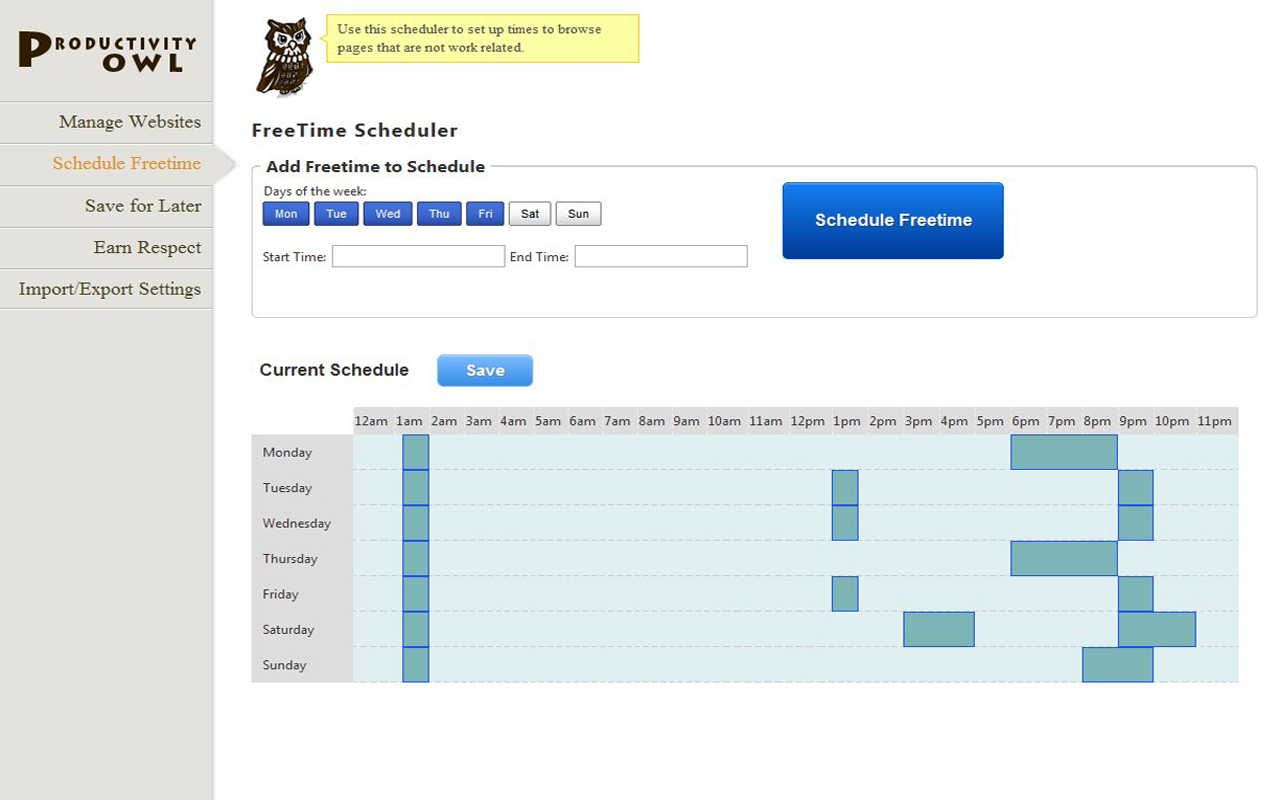
I have the owl set to close any web page I visit after 30 seconds.  I allow websites like stackoverflow.com,  jquery.com and of course localhost.  I block websites like youtube explicitly so I don’t even get 30 seconds.  If I want to watch a programming tutorial, the owl lets me save it for later.  Often times I realize during freetime – I don’t need to watch that.   That’s the other feature of the owl.  The owl lets you schedule your freetime.

During the freetime, the owl doesn’t swoop up and close your webpage.  Instead he lets you do what you want.  Since you only have a set limit for freetime, you learn to use it well.  Suddenly some of those links you saved don’t seem as important.  You end up choosing only the important things.

Right now the Productivity Owl is not 100% complete.  I plan to add a few more features, then open source it on GitHub.  In reality… all Chrome extensions are already open source if you use this tool… but I still plan to post a version on GitHub.  Here are a list of features to look forward to…

  1. You will “Earn Respect” from the owl if you keep the extension installed, and your schedule isn’t too easy.  I was thinking of having the owl look at webpage history to see if you stay on task but that may be too intrusive.
  2. Import/Export Settings Feature
  3. Fix bugs with owl going crazy on some pages (he sometimes flies different directions, goes superspeed?)
  4. Anti-Desperation mode and Close Tabs aren’t implemented fully.  Anti-desperation mode will mean that refreshing pages or clicking desperately back and forth to avoid the timer, will just make the timer go lower and lower on the page.
  5. Hack the Owl feature: If you inspect element on the timer at the bottom, you can increase the time by typing a higher number.  The owl never knows.  I plan to remove that feature… and have the owl make a sarcastic comment like “Nice Try, Asshole”
  6. Speaking of which… I’m planning many more condescending messages from the owl.   The owl is kind of a dick… but he needs to be.  It’s the only way this system will work.


I’m thinking of cleaning up some code and putting it up on GitHub.

I might talk about my projects on this blog.

That’s it.